
A cron job is a scheduled task. It is a command that your hosting server runs on its own, at a time or an interval you pick. On a cPanel account you do not need shell access to create one. cPanel puts your account’s crontab behind a simple form. This guide is updated for 2026 against the current cPanel & WHM documentation. It covers the interface as it looks today, the syntax behind the boxes, the right PHP binary, and the mistakes that break scheduled tasks.
Where the cron jobs interface lives
Open cPanel and look in the Advanced section for Cron Jobs (cPanel > Home > Advanced > Cron Jobs). If you cannot find it, your host may have switched it off. The interface can be enabled or disabled per package in WHM’s Feature Manager. Some providers hide it on entry-level shared plans.
Labels and icons shift a little between cPanel versions and provider themes. The form itself has had the same structure for a long time. You get a cron email field, a set of interval menus, a command box, and a table of current cron jobs with Edit and Delete actions.
Set the cron email first
At the top of the interface there is a Cron Email box. Enter an address and click Update Email. Anything a job writes to standard output or standard error is mailed to that address. That is how you find out that a task failed. It is also how you drown your inbox when a job runs every minute and prints a line each time. To stop notifications for every job, remove the address. To stop them for a single job, silence that command instead (see below).
The five time fields
The Common Settings menu holds presets such as “Once Per Hour (0 * * * *)”. Pick one and cPanel fills the Minute, Hour, Day, Month and Weekday boxes for you. Those five boxes are the classic cron expression. They come in this order: minute (0-59), hour (0-23), day of the month (1-31), month (1-12) and weekday (0-6, where 0 is Sunday).
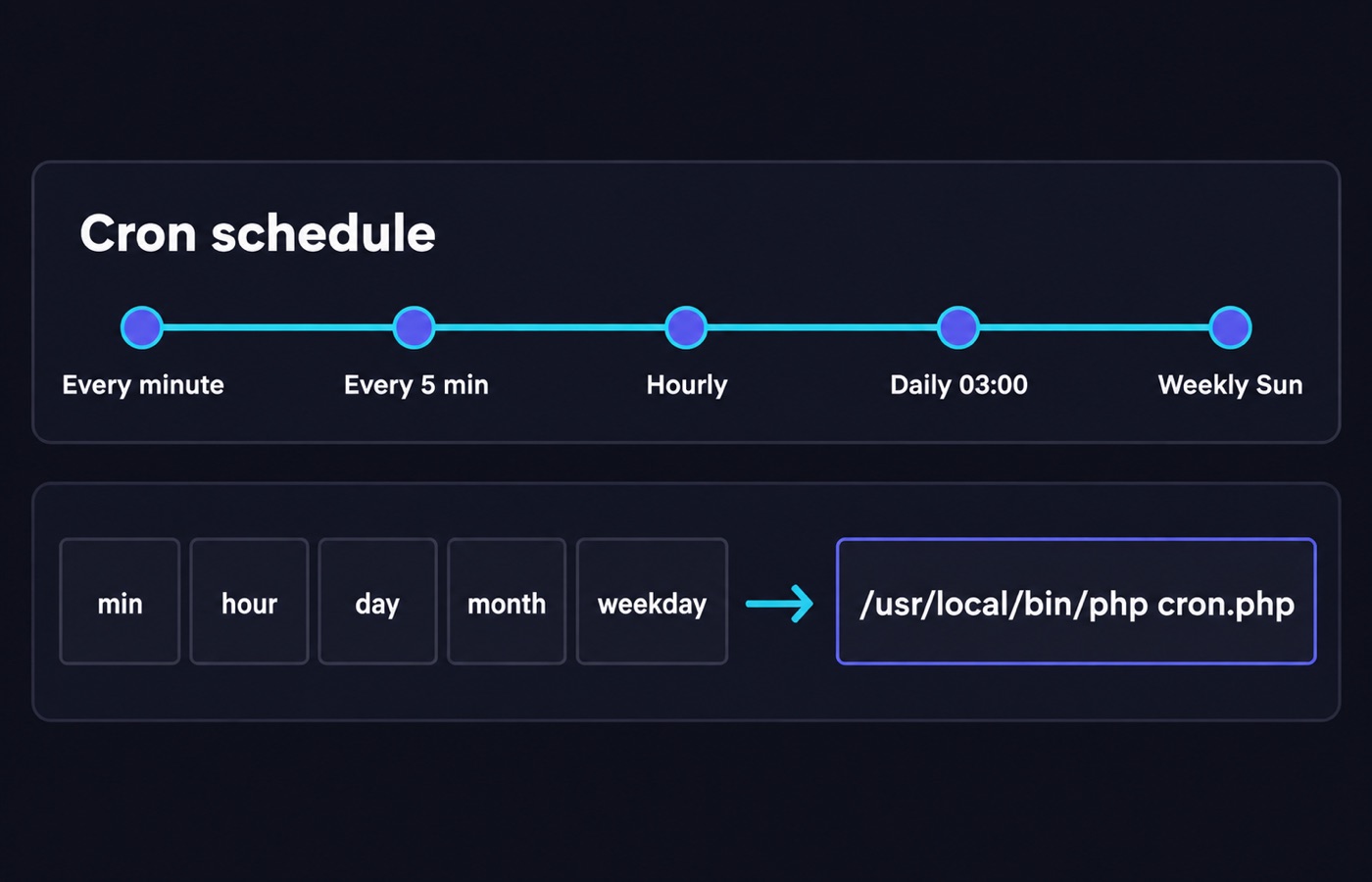
An asterisk means “every value”. A slash adds a step, so */15 in the minute field means every fifteenth minute. A comma builds a list (0,30) and a hyphen a range (9-17). All five fields plus the command are required.
Examples you can copy
*/15 * * * *    every 15 minutes
0 3 * * *       every day at 3:00 a.m. server time
0 0 1 * *       midnight on the first day of each month
30 2 * * 1      2:30 a.m. every Monday
Schedules use the server’s time zone, not yours. The timing matters for billing runs, report exports and cache warm-ups before a traffic peak. Confirm the server time zone with your provider before you rely on it.
Run PHP scripts with the right binary
cPanel’s documentation is explicit about one thing: give the absolute path to whatever you want to run. A bare script name only works when the file sits in your home directory. A custom script also needs the execute permission. The safer pattern is to call the interpreter with a full path, then hand it the full path of the script.
On EasyApache 4 servers the ea-php-cli package provides two binaries. /usr/local/bin/php calls the PHP command-line handler, which is what a cron job wants. /usr/bin/php calls the CGI handler, which exists for Apache’s CGI modules. Both work out the PHP version configured for the script’s directory.
/usr/local/bin/php /home/user/public_html/cron/task.phpA script may need a specific version rather than the configured default. Use the versioned symlink, or point the default binary at another directory’s configuration.
/usr/bin/ea-php83 /home/user/public_html/cron/task.php
/usr/bin/php --ea-reference-dir=/home/user/public_html /home/user/scripts/task.php
Replace WP-Cron with a real schedule
WordPress ships its own pseudo-cron that fires on page loads. On a quiet site, scheduled posts and backups run late. On a busy site, the loopback request runs far more often than anything needs. The WordPress developer documentation recommends turning it off and letting the system scheduler do the work. Add this line to wp-config.php.
define( 'DISABLE_WP_CRON', true );Then create a cron job that requests the file on a fixed interval.
*/15 * * * * wget --delete-after https://example.com/wp-cron.phpThe --delete-after flag stops wget from saving the response to disk. Some hosts ship WP-CLI, the WordPress command-line tool. Running the due events with it avoids the HTTP round trip. Ask support whether the binary is available on your plan.
Control the output
Append a redirect to throw away what a job prints. The line below sends both normal output and errors to nowhere.
0 3 * * * /usr/local/bin/php /home/user/cron/nightly.php >/dev/null 2>&1You may want silence on success but still want to hear about failures. Redirect only standard output and leave standard error alone. Whatever you choose, log inside the script itself. A cron job you never hear from looks the same as a cron job that never runs.
Mistakes that break scheduled tasks
- Scheduling too tightly. cPanel warns about this directly. Leave enough room for one run to finish before the next starts. Overlapping copies degrade performance. Many shared hosts also enforce a minimum interval, often five or fifteen minutes.
- Relative paths. Cron does not start in your project folder, and it does not load your interactive shell profile. Use absolute paths for the interpreter, the script and any files it touches.
- Missing execute permission. A custom shell script without it returns a permission error instead of a result.
- No cron email, or an unwatched one. Errors are mailed, not stored. If nobody reads the mailbox, failures stay invisible.
- Careless use of
rm. A wrong option or a stray space can delete your home directory’s data. Test destructive commands by hand first. - Assuming a rich environment. Cron runs with a minimal PATH and no profile. Set variables inside the script rather than expecting them.
Hosting tip
Cron limits are a real difference between plans. Entry-level shared accounts often cap how often a job may run and how much CPU time it may use. That matters for imports, feed pulls and nightly backups.
Compare providers on that exact policy in our web hosting section. Heavy tasks and per-minute precision need a server where you own the crontab and the resources, which means a VPS plan. Ask support two questions before you buy: what is the minimum cron interval, and what happens when a job exceeds the CPU or memory limit.
Sources
- docs.cpanel.net/cpanel/advanced/cron-jobs
- docs.cpanel.net/ea4/php/easyapache4-and-the-ea-php-cli-package
- developer.wordpress.org/plugins/cron/hooking-wp-cron-into-the-system-task-scheduler
Written and fact-checked by the WebHostingBreak Editorial Team in line with our editorial policy. Prices quoted here come from the provider reviews we maintain and carry the date they were last checked. Spotted an error? Tell us.